
Aug 182011
Right now if you join Swagbucks you can score an extra 50 Swagbucks on top of the 30 you automatically receive by entering AUGUSTBONUS on the registration form (if you have trouble with the code, email Swagbucks…they WILL take care of you).

Completing searches isn’t the only way to earn Swagbucks. Other ways to earn are:
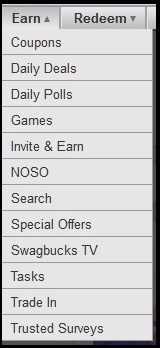
Plus there are these ways to earn:
To Sweeten the Deal:
Swagbucks is always looking for new ways for you to earn Reward Points, and this week they’ve got a promotion designed to help you get your free stuff faster! All this week, for any qualifying Special Offer you complete from now through Sunday, August 21st, you’ll receive a 20% bonus on what you earn. That bonus will be applied no later than 4:00pm PDT on Monday, August 22nd.- Qualifying Swagbucks Special Offers completed from yesterday through Sunday, August 21st will a get a 20% bonus on the Swag Bucks earned.

For instance, if you don’t claim your page username, one won’t be able to go directly to your fan page by simply typing in www.facebook.com/fingerclicksaver. Instead, they will have to do a Facebook search or know your entire page URL such as: http://www.facebook.com/pages/Finger-Click-Saver/130181410378629.
Claiming your username is very simple to do but beware you cannot change the name once you’ve claimed your name – so be sure it is typed just the way you want it to be before hitting claim. You also need to have at least 25 fans to claim your name.
Steps for Claiming Your Page Username:
Sears is donating 5% this weekend of all purchases to the Boys and Girls Club of America.
Save $5 off $50 using the promo code: SCHOOLFUN

Make it a great weekend!
So just think…you plan ahead say for a birthday, Christmas (even your own shopping), or even back to school shopping and purchase a gift card at a discounted price – you’ve saved money. Then you shop at the store where you have the gift card and hit a great sale – you’ve saved again. But before shopping online at that store, check out ebates or mrrebates to see if they offer any cash back by clicking through their site to the store…if so, you’ve saved again. And should you pay with a credit card or debit card that offers rewards – you’ve furthered sweetened the deal.
Another thought – Do you have kids that play sports? I noticed they have cards right now for Dick’s Sporting Goods at a 12% discount. If you purchase a card now, you’ll be that much ahead of the game come sports time.
