If you’re blessed with a Jamba Juice in your area – take advantage of this Jamba Juice $2 printable coupon 🙂
May 032012
If you’re blessed with a Jamba Juice in your area – take advantage of this Jamba Juice $2 printable coupon 🙂
You have the chance to win $50,000 in ‘Is the Grass Greener on the Other Side’ Sweepstakes
Make it easy on yourself! Use the slow cooker to cook on Mother’s Day. Here’s a Mother’s Day Ultimate Breakfast Free eBook

Free Blogger Op – FREE EVENT! Give Oh Giveaway is giving away a Kindle Fire!
Join the Rafflecopter form here for FREE!
If you’d be so kind, please use Finger Click Saver as your referrer 🙂 Thanks!

This week’s freebies are flower cards along with the tutorials on how to put them together. Very cute! If you think you want these, you’ll want to download them immediately because the flower cards will disappear shortly. The tutorial can be found on Finger Click Saver, forever. Bookmark Finger Click Saver as I’ll be posting more freebies for you roughly every two weeks. Alternatively, if you’re at all like me – I’m bad at remembering when I need to get back to a site for specific things coming out, so I sign up for their newsletter which helps a lot 🙂
If you don’t have the software, you’re missing out. Each week or so, new freebies come out to add to the already extensive papers and projects the software comes with. If you don’t own the software and would like to learn more click on over {here}. Should you decide you want to purchase it, use this promo code STMMMS15607 to save yourself $10.

To get the above freebie click {here}

For this freebie click {here}

Download this kit {here}
Flower Card Tutorial
Using MyMemories Software to Customize your Flower Card
TIP:
You can right-click on the white guide and lock it in place to keep it from moving while you are working. Make sure this is the top layer of your project before printing.
Instead of adding the paper as a background paper, you can add it as an embellishment so that you can move the paper around. This is especially useful when using papers with stripes or circles, so you can decide which part of the paper you want to use.
Once it is added as an embellishment, you can now select the paper and move it into the position you want it.
Just SAVE and PRINT on cardstock!
Flower Card Tutorial
How to Assemble your Flower Card
1. Print your file on cardstock.

2. Take your card template page and fold at all fold lines. A bone folder helps make the creases nie and crisp to help your finished card to look nicer.

3. There should be a total of 9 folds when you are done.

4. Cut out your card.

5. Turn your card over so that the printed side is down and pinch the sides of each petal together until all 6 petals are standing straight up.


6. Gently push all the petals in one direction until they lay flat.

7. You now have a flower card.

8. Tie a ribbon (not included) or something equivalent around the card to hold it closed.

9. Embellish as desired. This card was embellished with a circle cut out from a piece of background paper.


Enjoy!

Have you been wanting the Kindle Fire? Right now you can score a refurbished Kindle Fire $139 with free shipping. Uneasy about purchasing a refurbished product ? Read about the A – Z Guarantee that comes with this Kindle.

Dyson DC39 Animal canister vacuum cleaner
Dyson DC28 Animal
See All Dyson 20% off Products
For mother’s who really don’t mind home products for Mother’s Day gifts – this would make a great one!

Purex has launched its newest campaign – Let’s Be Honest where you can enter to win free Purex detergent for a year!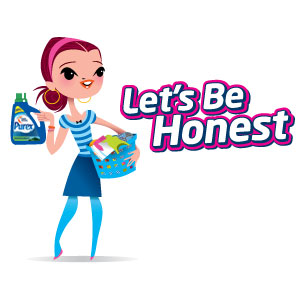 to Win Free Purex Detergent for a Year!
Meet Judy >>>>>>>>>>>>>>>>>>>>>>
She’s looking for honesty!
As you watch the short videos, you will discover Comedian Molly Erdman’s thoughts on being honest. The videos are quite cute; I really think you’ll enjoy them. If you’re a mom – you’ll be sure to appreciate them.
Visit Purex.com to view the videos and learn how to enter the giveaway. You’ll find the “Let’s Be Honest” tab on the left-hand side of the page. Everyday, through July 24th, one lucky entrant will win a year’s supply of Purex detergent!
Follow Purex along on Facebook and Twitter to see their updated posts and promotional tweets of this campaign. Their website will also feature new funny videos uploaded every few days.
Good Luck 🙂
Backing up your computer, if you value what’s on it such as documents and pictures, should be a top priority of yours. There are several ways to do this yourself or by utilizing an online backup service. As with anything, there are pros and cons of online backup services but I do believe they are well worth it in the long run.
One never knows when the time will come that their computer will crash – and trust me – it will crash – right down to the hard drive. Of course, the power supply can die, motherboards can fry, and disk drives can fail – at the most inopportune time. This, I’ve learned this the hard way.
When one seriously sits down and thinks about the best way to back up their computer – it’s really a no brainer that an online computer backup service is the best for several reasons: